Install ROS 2 Workspace
This guide will walk you through setting up the ROS 2 workspace for your AhaRobot system.
Clone the Project
Clone the astra_ws project and its submodules:
git clone --recurse-submodules https://github.com/hilookas/astra_ws
cd astra_ws
Set Up Docker Runtime (Recommended)
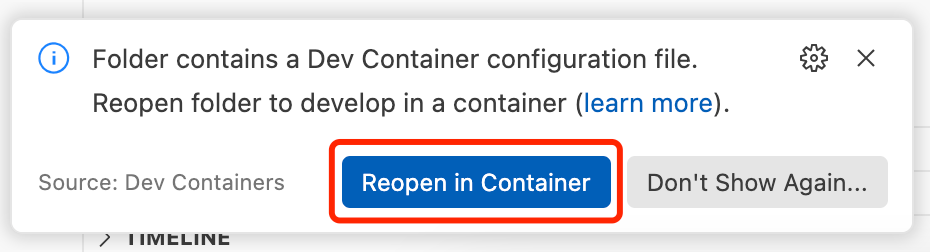
If you prefer to isolate the ROS environment using Docker, AhaRobot provides a Dockerfile at https://github.com/hilookas/astra_ws/blob/main/.devcontainer/Dockerfile to create the runtime environment. We recommend using VSCode/Cursor to run this container. With the Dev Containers extension installed, open the folder and select “Reopen in Container” when prompted. VSCode will then automatically fetch dependencies and build the image in the background.
🤔 If downloads are slow, consider configuring an APT mirror in the Dockerfile or setting an HTTP(S) proxy via http(s)_proxy environment variables.
Install and Configure Python Packages and ROS Environment
To enable AhaRobot’s features, we maintain several patched Python packages. Some changes are not upstreamed due to maintenance or feature considerations, so these packages must be installed from source. Key modifications:
aiortc: support for multiple MediaStream streams
PyAV: enable AV1 encoding using libsvtav1
mr_urdf_loader: fix URDF parsing bugs
urchin/pyribbit: URDF parsing to support inverse kinematics
Warning
If you are using Docker to isolate the environment, ensure you execute the following commands inside the container.
Warning
Installing ROS together with Conda is not recommended. It can break ros2 run/ros2 launch and cause package import issues.
# Make sure you are in the project root (astra_ws; inside Docker it is ~/ros2_ws)

sudo apt update
rosdep update
rosdep install --from-paths src -y --ignore-src

pushd non_ros_src/aiortc
sudo apt install -y libopus-dev libvpx-dev
pip install --upgrade pip setuptools
pip install -e .
popd

pushd non_ros_src/pyribbit
pip install "setuptools<=64.0.0"
pip install -e .
popd

pushd non_ros_src/urchin
pip install -e .
popd

pushd non_ros_src/mr_urdf_loader
pip install -e .
popd

# Alternative installs if needed:
# pip install git+https://github.com/hilookas/pyribbit@fix_numpy#egg=pyribbit
# pip install git+https://github.com/fishbotics/urchin@main#egg=urchin

pushd non_ros_src/ModernRobotics/packages/Python
pip install -U packaging
pip install -e .
popd

pushd non_ros_src/astra_teleop
pip install -e .
popd

pushd non_ros_src/astra_teleop_web
pip install -e .
popd

# If you haven't cloned already:
# git clone https://github.com/hilookas/PyAV.git -b v12.3.0-with-libsvtav1
pushd non_ros_src/PyAV

sudo apt install -y python3-virtualenv libsvtav1enc-dev libx264-dev wget

export PYAV_LIBRARY=ffmpeg-6.0
source scripts/activate.sh
./scripts/build-deps
# See: https://github.com/numpy/numpy/issues/22135
pip install "setuptools<=64.0.0"
make
deactivate
pip install -e .
popd

sudo add-apt-repository ppa:ubuntuhandbook1/ffmpeg6
sudo apt install -y ffmpeg # upgrade ffmpeg to support libsvtav1

pushd non_ros_src/lerobot
pip install -e .
pip install "huggingface_hub<0.25"
popd

pushd non_ros_src/odrive-can
sudo apt install -y can-utils
pip install -e .
popd

pip install pyserial python-can
We use a ROS 2 workspace to manage the environment. Build all packages in the current workspace and install into the workspace:
# Ensure you are at the project root

colcon build --symlink-install
source install/setup.bash
🎉 You’ve finished configuring the ROS environment!
Launch AhaRobot
Bring up the CAN bus. Run these commands outside Docker to start the CAN network:
# on host
# sudo ip link set can0 down # if you want to reset the CAN bus
sudo ip link set can0 up type can bitrate 250000 && sudo ip link set can0 txqueuelen 100
Start your AhaRobot and the web teleoperation UI:
ros2 launch astra_controller start.launch.py